Sleeper
Just a username — no password
Link a public Sleeper username and one sync pulls every league on the account.
Connect SleeperFantasy football
Draft boards, lineup backtests, and trade ideas — built from your actual leagues. Sleeper, ESPN, Yahoo, and CBS, one sign-in.
The real workspace, captured on a demo league. Open yours
Supported providers
Four sources, one franchise rail. Every season you import stacks into a single franchise — switch years and sites without losing context.
Just a username — no password
Link a public Sleeper username and one sync pulls every league on the account.
Connect SleeperBrowser cookies
Paste your swid and espn_s2 cookies — private leagues included.
OAuth sign-in
Authorize with Yahoo — no password to copy, and seasons import with their native keys.
Connect YahooAccess token
Paste a member access token — never your password. Expired tokens are flagged, not silent.
Connect CBSProvider credentials are encrypted at rest and tied only to your account.
Feature offerings
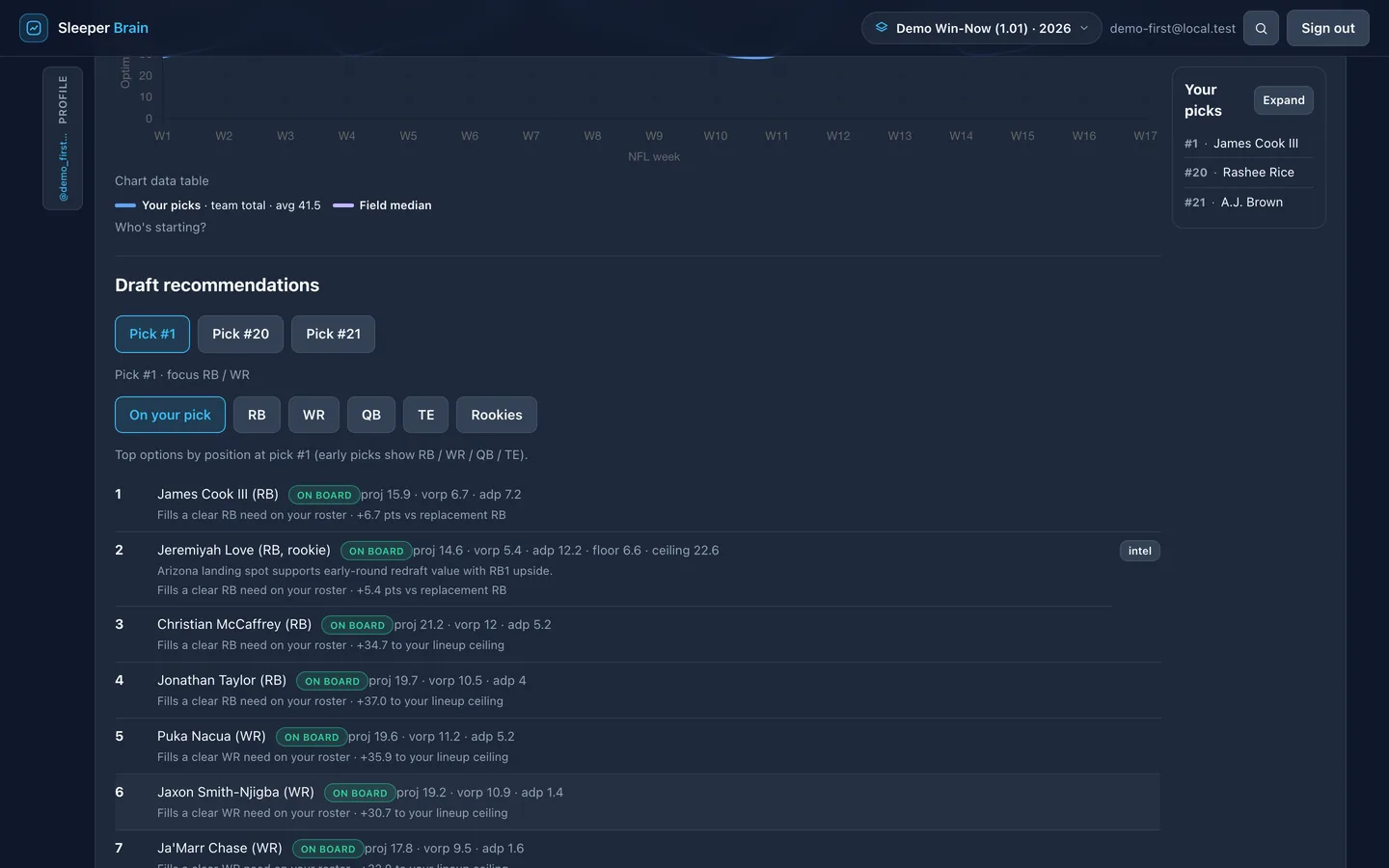
Simulate the draft from your real slot on a snake board that already knows your roster. Lock picks, tune risk and loss aversion, check rookie intel, and read the season story — how many weeks your starters project ahead of the field.
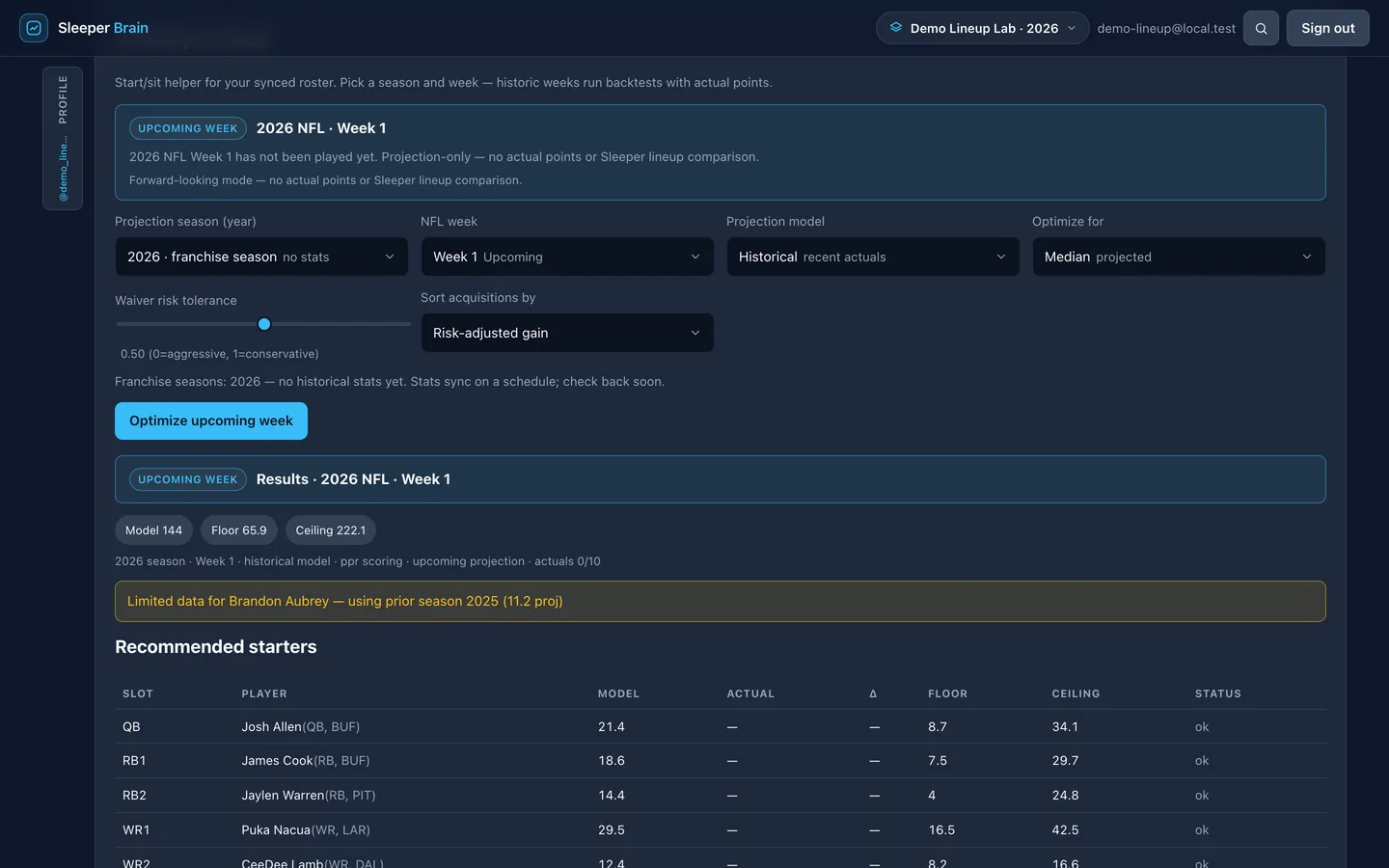
Backtest any played week: the optimal lineup's actual points next to the lineup you started, with every mismatch flagged. Looking forward, the optimizer projects your best ten — and the waiver adds that beat your bench.
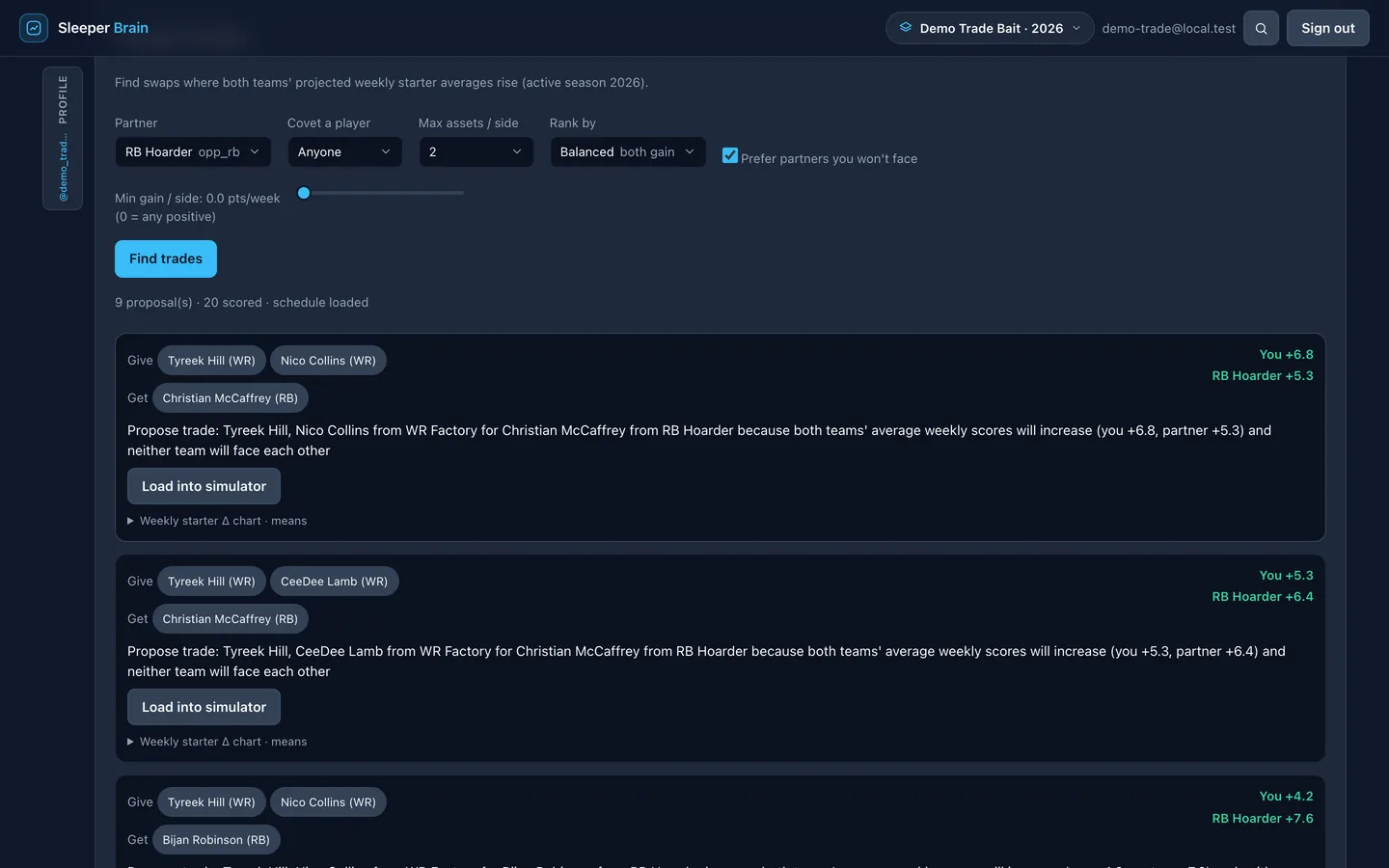
Proposals ranked by starter-point delta for both sides — mutual gain you can defend, not a vibe check. A what-if simulator scores your own offers before you send them.
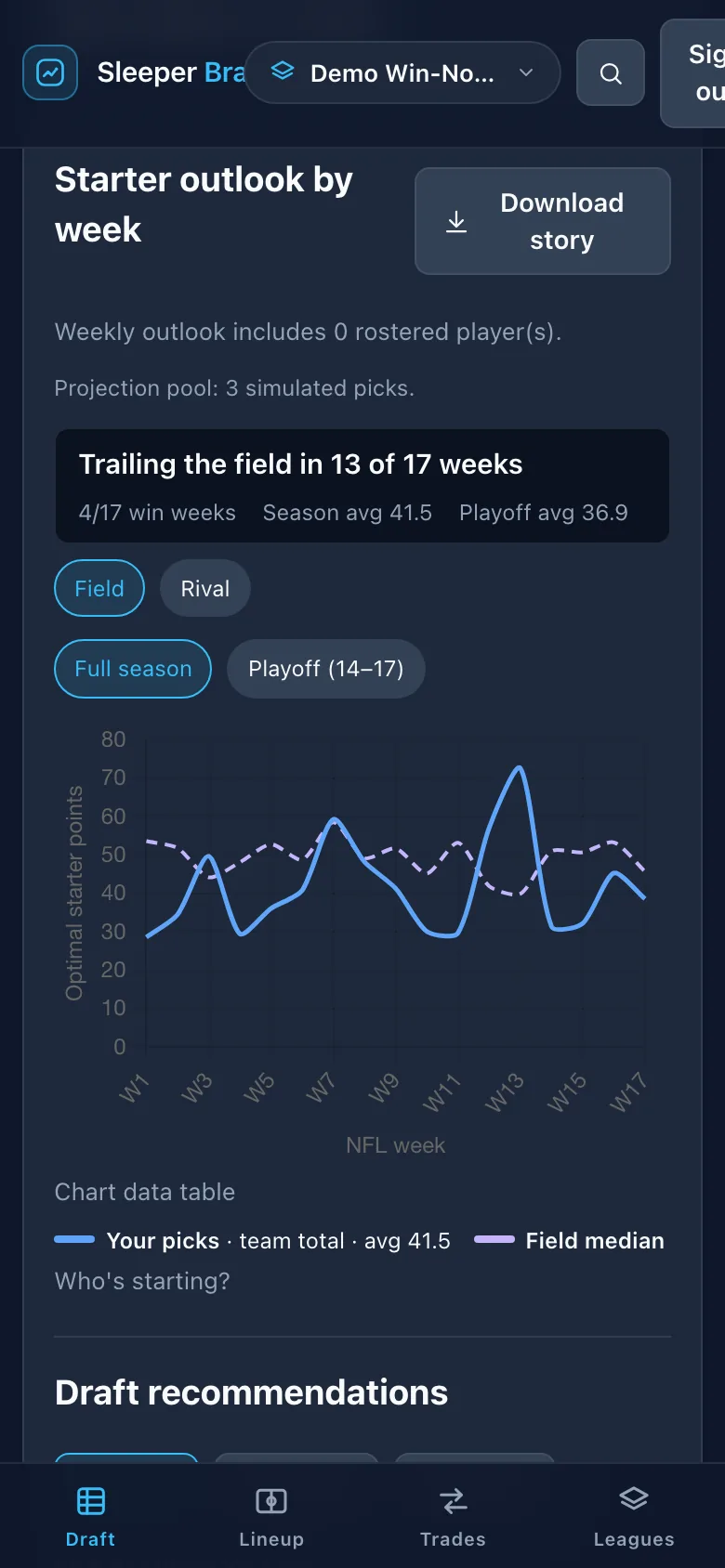
Sleeper, ESPN, Yahoo, and CBS seasons sit on the same rail. The workspace is the same on your phone: draft board, lineup backtests, and trades, thumb-reach included.
Link a Sleeper username, or sign in to ESPN, Yahoo, or CBS. Your league stays yours.
Seasons group into one franchise. Pick the year you are drafting or setting a lineup for.
Draft help, weekly lineup backtests, and trade deltas — with the numbers next to the advice.
Sign in, connect a source, and open a season. The workspace is the same on your phone.
Get started